
Autodesk Inventor: Exam Voucher

R1,650.00

Wishlist
Categories: ,
Exam Voucher
Autodesk

Exam Objectives

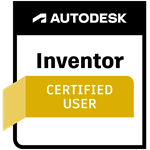
Autodesk Certified User: Inventor

Autodesk Inventor

The Autodesk Certified User certification in Inventor  demonstrates entry-level knowledge that includes creating, modifying, formatting, and sharing 2D sketches, creating parts, viewing, and animating assemblies, creating presentations and drawings, etc.

1. Workspace and Navigation

1.1 Get started (understand/apply)
1.2 Navigate the workspace and environment (understand/apply)
1.3 Create and use work planes and axes

2. Sketch


2.1 Create and modify a sketch

2.2 Apply sketch constraints and dimensions

3. Model


3.1 Create and modify sketched features

3.2 Create and modify placed feature

4. Assemble


4.1 Place components into assemblies
4.2 Create relationship

4.3 Analyze components

5. Document


5.1 Create drawings

5.2 Apply dimensions and annotations

Autodesk Overview

Whether you are a student looking for a competitive advantage in the workforce, an adult changing careers or wanting to take the next step, or even a company looking for people with the qualifications to make things happen, Autodesk Certifications can help. Strong design software skills are a great asset in both the academic and professional arenas.

Certiport delivers both the Autodesk Tinkercad 3D Design and the subsequent Autodesk Certified User (ACU) certifications. They are industry-recognized credentials that can effectively launch and advance careers as designers, engineers, and makers. It enhances candidates' college and career readiness by providing the evidence of competency and proficiency. The Autodesk Certified User certifications are an excellent way for candidates with about 150 hours of real-world Autodesk software experience to validate their software skills. Earning this level of certification will give candidates confidence as they continue to master Autodesk products and pursue subsequent advanced certifications in the future.

Autodesk Certifications

Digital badges are web-enabled versions of a credential, certification or learning outcome. Representing your credential as a badge gives you the ability to share your skills online in a way that is simple, trusted and can be easily verified in real time.

Autodesk certifications are some of the most requested skills in online job postings. Your digital badge makes it easy for you to validate abilities with potential employers on social media sites such as LinkedIn, Facebook and Twitter, as well as email and online portfolios.

When you earn one of the Autodesk certifications you will be notified of the corresponding digital badge. Accept and use your digital badge to tell potential employers, academic institutions, colleagues and peers about your credential.

These are the digital badges currently available:

More information

Visit Credly to find out more information. Still have questions? Here are a few resources you might find helpful:

FAQ

Does Ace Course Hub offer discounts for companies?
Yes, we offer bulk enrollment discounts for businesses looking to upskill or reskill their employees. We also provide flexible In-House and Virtual Instructor-Led Training (VILT) options for corporate teams.
Is the exam voucher included in the course price?
We offer various bundles. You can purchase a standalone Course, or an Exam Voucher separately. For the best value, select a bundle that includes both the interactive course and the official exam voucher at a discounted rate.
Do the courses include practical experience?
Yes, most of our technical courses include hands-on virtual labs. These allow you to practice in a risk-free, simulated environment that mimics real-world IT scenarios.
Why do I have to wait 5 days for my course and voucher?
We ensure every student receives a unique, valid license and voucher directly from the official provider. This processing period allows us to verify your enrollment and deliver your credentials securely via email.
Can I study at my own pace?
Absolutely. Our platform is 100% self-paced, giving you 24/7 access to all e-textbooks, videos, and virtual labs so you can study whenever it fits your schedule.
How do I enroll in a course?
The process is simple: browse our catalogue, select your desired course and exam voucher, and complete the checkout. Once payment is processed, we begin setting up your access.

Enquiries