

Exam Objectives
Microsoft Certified Educator (MCE)
The Microsoft Certified Educator (MCE) program provides robust tools that help educators drive best-in-class integration of information and communication technology (ICT) into classroom instruction.
Close the educational technology skills gap
The Microsoft Certified Educator Program is a professional development program that bridges the gap between technology skills and innovative teaching. Educators holding a Microsoft Certified Educator certification can prove they have the skills needed to provide rich, customized learning experiences for their students that incorporate critical 21st century skills using Microsoft tools. Benefits of implementing the Microsoft Certified Educator professional development and certification program at your institution include:
- Ensures faculty/staff have basic understanding of Microsoft Education tools
- Ensures faculty/staff can demonstrate how to successfully incorporate 21st century into lessons
- Ensures faculty/staff know which Microsoft Education tools can support which specific 21st century skills
- Provides access to free effective professional development
- Provides reliable validation of ICT investments
1. Facilitate Student Collaboration
1.1 Determine the level to which a learning activity meets the rubric for
collaboration.
2. Facilitate Skilled Communication
2.1 Modify a learning activity to meet the rubric for the highest level of skilled
communication.
2.2 Evaluate student product examples to determine the level to
which they meet the skilled communication rubric
3. Facilitate Knowledge Construction
3.1 Determine the level to which a learning activity meets the
knowledge construction rubric.
3.2 Transform a didactic learning situation into an activity that
requires students to apply knowledge in a new context that
facilitates interdisciplinary learning.
4. Facilitate Self-Regulation
4.1 Determine the level to which a learning activity meets the
rubric for self-regulation.
4.2 Determine which opportunities facilitate an environment of
self-regulation.
5. Facilitate Real World Problem Solving and Innovation
5.1 Determine the level to which a learning activity meets the
rubric for real world problem solving.
5.2 Select a strategy to encourage students to problem-solve,
innovate, and apply a solution that benefits others in the real
world
6. Facilitate Student use of Information and Communication Tools (ICT)
6.1 Determine the level to which a learning activity meets the
rubric for use of ICT learning.
6.2 Fulfill student learning outcomes by using Microsoft
technology tools.
6.3 Select the best ICT resource to help resolve or manage the
logistical challenges of reaching the desired educational
outcome.
7. Use ICT to be an Effective Educator
7.1 Determine which ICT resource supports a specified
educational outcome.
7.2 Determine the appropriate pedagogical approach to meet an
educational outcome using ICT resources.
7.3 Select an appropriate ICT resource to reach a professional
development goal.
7.4 Evaluate responses to a scenario involving Digital
Citizenship.
MCE Overview
Close the educational technology skills gap
The Microsoft Certified Educator Program is a professional development program that bridges the gap between technology skills and innovative teaching. Educators holding a Microsoft Certified Educator certification can prove they have the skills needed to provide rich, customized learning experiences for their students that incorporate critical 21st century skills using Microsoft tools. Benefits of implementing the Microsoft Certified Educator professional development and certification program at your institution include:
- Ensures faculty/staff have basic understanding of Microsoft Education tools
- Ensures faculty/staff can demonstrate how to successfully incorporate 21st century into lessons
- Ensures faculty/staff know which Microsoft Education tools can support which specific 21st century skills
- Provides access to free effective professional development
- Provides reliable validation of ICT investments
MCE Certifications
Digital badges are web-enabled versions of a credential, certification, or learning outcome. With a digital badge, you can show and share your certified skills online. It’s simple. Trustworthy. And can be verified in real time.
Show off your success
Microsoft Fundamentals certified students have a lot to be proud of. Badges validate their skills and allow them to show the world what they’ve accomplished.
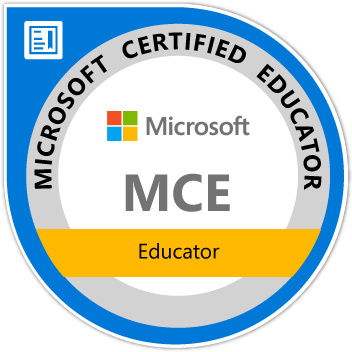
Flash your badge
Credly is our digital badging platform. It helps you move forward professionally by quickly establishing credibility for opportunities in education, the job market, and beyond. Each badge contains verifiable data that tells the world what you did, who says you did it, and why it matters.
More information
Visit Credly to find out more information. Still have questions? Here are a few resources you might find helpful:
FAQ
Enquiries